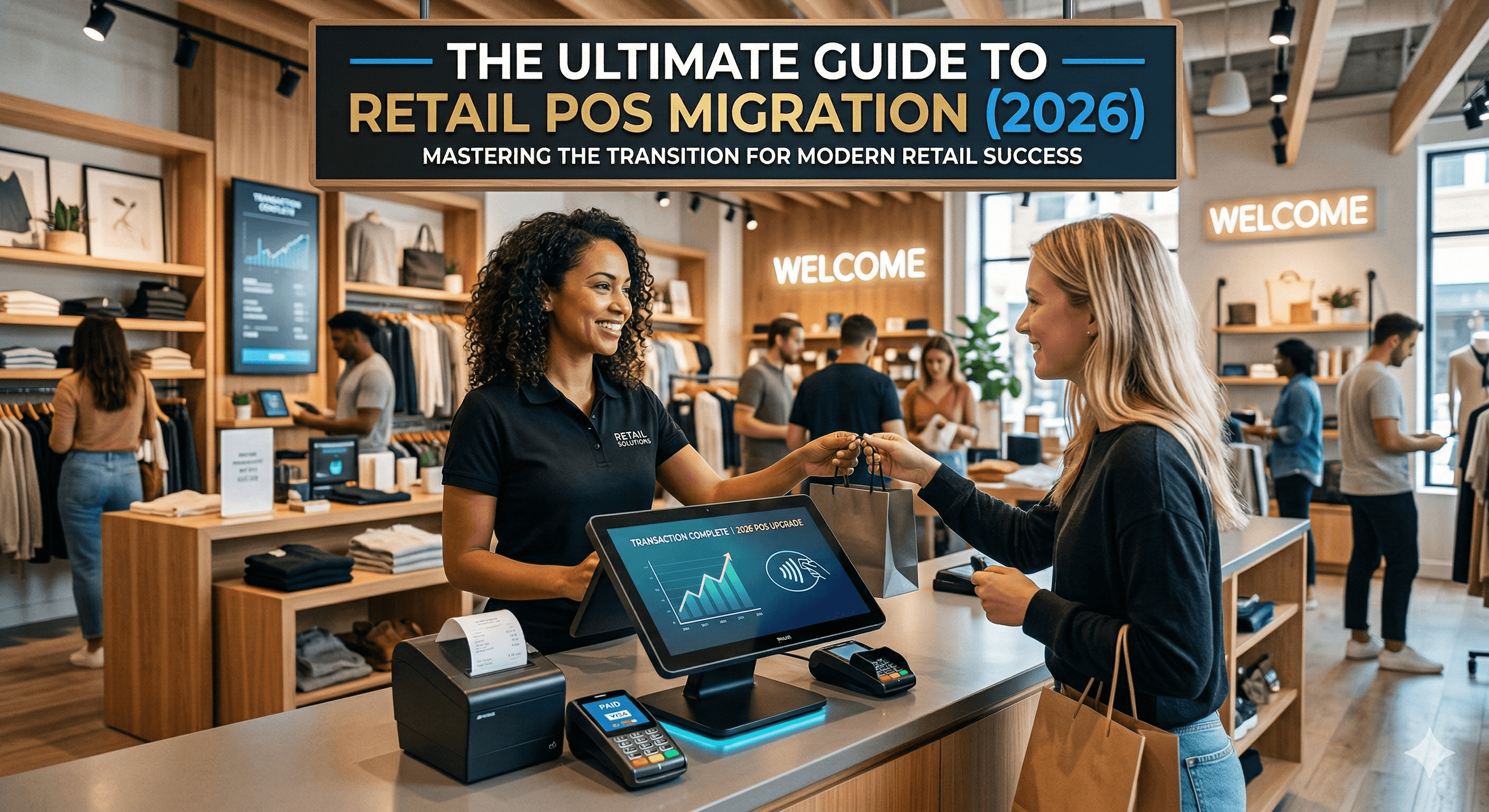
The Ultimate Guide to Retail POS Migration (2026)
By JCL Migration Experts | Last updated: March 2026
Making the decision to switch your retail point-of-sale (POS) system represents one of the most critical operational shifts a business can undertake. However, outgrowing a legacy system is a clear indicator of retail success. If your current software is restricting rather than enabling growth, it is time for a POS migration.
Navigating the complexities of retail POS migration, particularly in 2026's rapidly advancing technological landscape, requires meticulous planning, deep technical understanding, and strategic foresight. In this comprehensive, 3,000+ word guide, we cover absolutely everything a retailer must know before, during, and after switching systems—ensuring minimal downtime, zero data loss, and immediate ROI.
What is POS Migration?
Retail POS migration is the strategic process of transferring a retailer’s operational data, hardware infrastructure, and software workflows from a legacy Point of Sale system to a modernized, alternative platform. This transition involves securely moving historical sales data, customer records, active gift card balances, and complex inventory catalogs while retraining staff to leverage new omnichannel capabilities.
According to a 2025 retail market survey, 41% of growing retailers reported facing significant operational bottlenecks due to outdated POS systems. A successful POS migration eliminates these bottlenecks, connecting in-store retail environments directly with eCommerce fronts, centralized inventory databases, and advanced analytics dashboards.
Why Retail POS Migration is Crucial in 2026
The retail landscape of 2026 demands systems that do far more than process transactions. Omnichannel commerce is no longer a luxury—it is the baseline expectation from consumers.
Changing Consumer Habits: Consumers expect a seamless transition between online browsing and in-store purchasing. Features like "Buy Online, Pick Up In-Store" (BOPIS) and cross-channel returns are impossible to execute cleanly on disconnected legacy systems.
Sun-setting Legacy Software: Many older server-based POS systems are forcing sunset phases where developers cease patching security vulnerabilities. Running a retail business on unsupported software introduces critical compliance and security risks.
Revenue Protection: Data reveals that retailers with unified, cloud-based POS systems process transactions 35% faster during peak hours compared to on-premise environments, drastically reducing abandoned sales from long checkout lines.
7 Signs It's Time to Upgrade Your Retail POS
Many retailers delay upgrading out of fear of the migration process. However, the hidden costs of running an outdated system drastically outweigh the temporary friction of migrating. Look for these specific pain points that signal an immediate need for an upgrade:
Frequent System Crashes and Slow Processing: If your hardware freezes during the holiday rush or peak weekend hours, you are directly hemorrhaging revenue. Every second a customer waits in a stalled line increases the likelihood of an abandoned basket. Modern systems operate via cloud architectures that rely on robust server infrastructure, eliminating local CPU bottlenecks.
Disconnected Inventory Across Locations: If you run multiple stores or a combined retail/eCommerce operation, inventory must sync in real-time. Manual inventory reconciliation is a massive waste of labor hours and directly leads to overselling items online that were already purchased in-store.
Poor Reporting and Analytics: Legacy systems often force managers to export raw CSVs and manually build Excel pivot tables just to understand margin profitability or dead stock. Modern POS platforms provide dynamic, AI-driven dashboards that instantly highlight underperforming products and staff sales metrics.
Lack of Hardware Flexibility: Being tethered to a bulky, stationary cash register is no longer viable in high-end retail. Modern POS ecosystems allow associates to check out customers directly from the sales floor using tablets or mobile terminals, significantly enhancing the customer experience.
Exorbitant Processing Fees: Outdated contracts frequently lock retailers into unfavorable payment processing rates. Migrating to a new POS often allows retailers to integrate unified payment systems with competitive, flat-rate pricing, directly increasing profit margins.
No Built-in Loyalty Features: If your customer loyalty program relies on punch cards or a disconnected third-party app, you are failing to capture actionable customer data. Modern systems seamlessly tie purchase history to customer profiles locally and online.
Costly Software Updates: If you run a server-based POS, updating the software often requires hiring a technician to physically install updates across your network. Cloud-based POS platforms push instant software updates seamlessly over the air.
Planning Your POS Migration: A Step-by-Step Guide
Attempting to migrate retail data on the fly without a master blueprint guarantees operational disaster. At JCL Migration, we have witnessed retailers lose years of invaluable customer data by rushing the transition. Follow this structured, step-by-step approach to guarantee a clean migration.
Step 1: Audit Your Current Hardware and Software Limits
Before selecting a new system, you must conduct a hyper-detailed audit of your current operations. Identify every piece of hardware currently in use: * Receipt printers * Barcode scanners * Cash drawers * Payment terminals * Networking equipment and routers
Determine what hardware is proprietary to your current vendor and what hardware uses universal protocols (like an Ethernet-based Epson receipt printer). This will help you identify exactly what hardware expenses you will face when transitioning.
Step 2: Define Your Essential Feature Requirements
Do not shop for a new POS based solely on aesthetics or price. You must document the operational features your business demands to function daily. * Do you require granular matrix inventory (size, color, style)? * Do you sell items by weight or volume? * Do you require advanced B2B wholesale pricing tiers? * Do you utilize custom loyalty mechanics or integrations with specific accounting software like QuickBooks or Xero?
Map these requirements out in a physical document. When you demo new software, force the sales representative to prove their system can handle your specific edge cases.
Step 3: Cleanse and Format Your Master Data
Garbage in equates to garbage out. A POS migration is the ultimate opportunity to clean out your digital closets. * Product Catalog: Audit your items. Delete old SKUs that haven't sold in three years. Standardize your naming conventions. Ensure every product has accurate UPCs and supplier cost data attached. * Customer Data: Merge duplicate customer profiles. Validate formatting for emails and phone numbers. * Gift Cards: Generate a highly secure export of all outstanding gift card balances. This is hard currency; losing this data equates to stealing from your own customers.
Step 4: Establish a Realistic Migration Timeline
A proper migration for a mid-sized retailer (3-5 locations) takes an average of 4-6 weeks from contract signing to Go-Live. * Weeks 1-2: Data cleansing, mapping, and initial hardware procurement. * Week 3: Initial data tests and network stress testing in a sandbox environment. * Week 4: Staff training and workflow validation. * Weeks 5-6: Final delta data push (syncing the last week of sales from the old system) and official Go-Live.
Do not schedule a migration during your busiest season. If you are a traditional retail store, aim for a mid-summer migration.
Step 5: Choose Your Migration Partner
The final and most crucial step in planning is realizing you do not need to do this alone. Moving millions of rows of sales history and ensuring thousands of SKUs transfer cleanly requires database expertise that most retail operators simply do not have.
Partnering with an expert agency like JCL Migration allows you to focus on running your business while data engineers handle the technical heavy lifting. We specialize in safely extracting data from restricted legacy databases, mapping it perfectly to modern schemas, and executing zero-downtime cutovers.
How to Choose the Best POS System in 2026
The POS market is heavily saturated. For the modern retail enterprise, three platforms dominate the landscape: Shopify POS, Lightspeed Retail, and Square. Below is a structured comparison designed to highlight where each platform excels.
Table: 2026 Retail POS Comparison
Feature Category | Shopify POS | Lightspeed Retail | Square for Retail |
|---|---|---|---|
Best Used For | True omnichannel retail, massive eCommerce synergy | Complex retail, multi-store inventory, B2B wholesale | Small scaling retail, rapid deployments, pop-up stores |
Inventory Capability | Excellent for unified web/store tracking, relies slightly on apps for advanced B2B | Industry-leading matrix inventory, PO management, and vendor integration | Strong baseline features, intuitive catalog management |
Hardware Ecosystem | Proprietary "Shopify POS Go" mobile terminals, sleek iPad stands | Highly flexible iPad deployments, robust desktop setups | Proprietary Square Registers, Terminals, and Stands |
Learning Curve | Very Low (Extremely intuitive UI) | Moderate (Requires training due to advanced depth) | Very Low (Built for instant usability) |
API & Integrations | World-class app ecosystem, endless expandability | Deep, vetted partner integrations, exceptional accounting hooks | Good baseline apps, slightly more restricted custom API access |
Making the Decision
When evaluating systems, prioritize API access. In 2026, no POS system will perfectly solve 100% of your business problems out of the box. You will inevitably need to connect third-party tools for custom reporting, specialized marketing, or warehouse routing. A closed-ecosystem POS will strangle your business growth. Platforms like Shopify and Lightspeed provide open API architectures, ensuring that if the native software doesn't do what you need, an integrated app certainly will.
Data Migration Strategy: Don't Lose Your Retail History
Data migration is the most intimidating aspect of switching systems. Many retailers simply give up, choosing to start with a blank database in their new POS. This is a massive strategic mistake.
Losing historical sales data means your new system cannot natively generate year-over-year growth reports. Losing historical customer purchase history means your marketing engine cannot send targeted re-engagement campaigns based on past buying habits.
Moving The Core Data Pillars
There are four primary pillars of data that must be migrated effectively.
1. The Product Catalog Structure
This is the foundation. Every single product must have its Title, Description, Variants (Size/Color), SKU, Barcode/UPC, Retail Price, and Supplier Cost successfully migrated. * Pro-Tip: Pay special attention to "Parent/Child" variant relationships. A legacy system might treat a Red Small T-Shirt and a Blue Large T-Shirt as entirely independent products. Modern systems group these under a single Parent product. A migration requires careful programmatic restructuring of this logic.
2. Historical Sales Data
Transferring sales history is notoriously difficult. Migrating unstructured receipt data and translating it into the new platform's structured order architecture requires advanced scripting. At JCL Migration, we utilize proprietary mapping sequences to ensure that a transaction from 2022 in your old system reflects perfectly in your new ecosystem's analytics.
3. Customer Profiles and Loyalty
A customer's lifetime value is the most important metric a retailer possesses. You must migrate their contact information, shipping/billing addresses, total historical spend, and current loyalty point balances. * Communication: This is also a critical time to run an email validation pass, ensuring you aren't importing dead email addresses into your new marketing infrastructure which could damage your sender reputation.
4. Active Gift Card Liability
Unredeemed gift cards represent active financial liabilities on your balance sheet. Attempting to manually track old gift cards in a spreadsheet after jumping to new software creates massive friction at the checkout counter. Securely encrypting and importing these active 16-digit codes into the new system is non-negotiable.
Handling "Delta" Data
Between the day you run an initial export of your old database and the day you Go-Live, your business is still selling products and gaining new customers. This generates a "delta"—the gap of new data created during the transition period. Your data migration strategy must account for a final delta-sync, typically executed the night before you launch the new system, ensuring inventory quantities are perfectly absolute for opening day.
Training Your Staff and Going Live
The most technologically perfect POS migration will fail if your human element is ignored. Do not wait until Go-Live day to introduce your staff to the new hardware.
Overcoming the "Learning Curve" Excuse
Human beings naturally resist change. If your staff has used the same clunky interface for ten years, a streamlined modern UI will actually feel confusing to them initially. * The Sandbox Environment: Procure your new iPad/terminals three weeks early. Set them up in the breakroom on a "sandbox" or test account. * Role-Playing: Force managers to role-play complicated specific scenarios: Processing a split-tender transaction, issuing a partial refund without a receipt, capturing a new customer's email, and applying a military discount. * The Champion System: Identify your most tech-savvy floor employee. Appoint them as the "Migration Champion." Have them dive deep into the software early so they can assist slower learners during the transition.
Soft-Launch vs. Hard-Launch
When dealing with multiple retail locations, never execute a hard-launch (flipping all stores simultaneously) unless absolutely necessary. * The Soft-Launch Approach: Choose your lowest-volume, most stable retail location. Execute the migration for this single store on a Tuesday morning. This allows your team to experience the system under live but manageable pressure, discover unexpected workflow bugs, and patch them before rolling out to your flagship high-volume locations.
5 Common POS Migration Mistakes to Avoid
A botched migration can grind a multi-million dollar retail operation to a complete halt. Here is exactly what NOT to do.
1. Trying to DIY Complex Data Imports
Most modern POS systems offer "CSV Import Tools." These are designed for simple startups, not legacy retail operations dumping tens of thousands of complex SKUs. Relying on default CSV importers often strips out critical metadata, breaks product variants, or duplicates inventories. Always use an API-driven, professionally managed data migration service.
2. Ignoring Your Network Infrastructure
A modern, cloud-based POS system is entirely dependent on a stable internet connection. * The Mistake: Replacing all your hardware but keeping the $40 consumer-grade WiFi router from 2018. * The Fix: Invest in enterprise-grade networking access points (like Ubiquiti or Meraki) and ensure you have a cellular data backup (LTE/5G failover) in case your primary ISP goes down.
3. Skimping on Hardware Replacements
The Mistake: Trying to save $1,000 by forcing ten-year-old receipt printers to communicate with modern iPads via complex bluetooth bridge adapters.
The Fix: Legacy hardware is slow. A key benefit of modern POS is checkout speed. Buy the integrated, recommended hardware directly from your new provider to ensure native, flawless communication protocols.
4. Poor Stakeholder Communication
Do not surprise your staff, and certainly do not surprise your customers. If your online store needs to be down for three hours during a midnight data delta-sync, put a massive banner on your website alerting customers beforehand to prevent frustration.
5. Moving Without a Roll-Back Plan
If the absolute worst-case scenario occurs—a catastrophic power failure during data syncing, or massive unresolvable API errors—you must have the ability to abort the migration and temporarily operate on the old system. Never formally cancel your contract with your old POS provider until the new system has been functioning flawlessly for at least two weeks.
The Future of Retail POS Technologies (2026 and Beyond)
As we navigate 2026, POS systems are evolving from simple transaction processors into predictive, unified commerce engines powered directly by artificial intelligence. When you plan your migration, you are not merely solving today's operational bottlenecks—you are future-proofing your business against the next decade of retail innovation.
1. AI-Driven Inventory Forecasting The days of manual minimum-stock reorder points are ending. The next generation of POS systems utilizes machine learning algorithms to analyze historical sales data, local weather patterns, and broader economic indicators to predict exactly when a specific product will sell out. This prevents overstocking capital-heavy items while mathematically eliminating stockouts during peak demand periods.
2. Frictionless Checkout Experiences Drawing inspiration from autonomous retail concepts, mainstream POS providers are beginning to integrate RFID (Radio Frequency Identification) and computer vision technologies. By 2028, we expect to see traditional barcode scanning supplemented by smart-baskets that automatically tally items the moment a customer steps into the checkout zone. Upgrading to a modern POS architecture today ensures your core database structure is ready to interface with frictionless checkout hardware tomorrow.
3. Hyper-Personalized In-Store Marketing Legacy systems tracked what a customer bought. Future systems track what a customer interacts with. By integrating POS data with in-store BLE (Bluetooth Low Energy) beacons and mobile app architectures, retail associates will receive real-time push notifications when a high-value loyalty member enters the store. The POS dashboard will instantly display the customer's online browsing history, allowing the associate to recommend products the customer abandoned in their digital cart just hours prior.
4. The Rise of Unified Retail Platforms We are seeing the complete dissolution of the barrier between eCommerce software and physical POS software. Rather than integrating two disparate systems via complex APIs, the market is moving toward true Unified Commerce—where the online storefront and the physical terminal operate off the exact same core codebase. This makes real-time inventory and unified customer profiles a native feature rather than an engineered workaround.
Frequently Asked Questions (FAQ)
How long does a POS migration take? For a mid-sized retailer, a safe POS migration timeline spans 4 to 6 weeks. This provides ample time for deep database cleansing, hardware procurement, sandbox testing, staff role-playing, and executing the final delta data sync immediately before going live.
Will I lose my historical customer loyalty data? No. Provided you extract the data securely from your legacy system, expert migration engineers can seamlessly map historical spend data, existing loyalty tier statuses, and active point balances directly into your new modern POS platform, ensuring customers retain their rewards.
Can I reuse my existing receipt printers and barcode scanners? It depends entirely on the communication protocols of your old hardware. Universal Ethernet or USB-based scanners and printers (like Epson or Star Micronics models) can frequently be repurposed. However, deeply proprietary legacy hardware will likely need to be replaced. We always recommend upgrading critical checkout hardware to maximize the speed of your new system.
How do we handle our eCommerce catalog during the transition? Modern migrations utilize sophisticated mapping logic. Instead of deleting your eCommerce items, engineers will connect the new POS database directly to your existing online SKUs via API, ensuring SEO rankings, product reviews, and URL structures remain completely untouched during the transition.
Should we shut down the store during the migration? A full day closure is rarely required. Instead, the final "delta sync" (the transfer of the last bits of transactional data) is typically scheduled to occur overnight or during non-business hours. Most retailers can close their doors at 8:00 PM on the old system and open securely at 9:00 AM the next day on the new system.
Conclusion
Migrating your retail POS system from a legacy platform to a modern, cloud-based ecosystem is a transformative decision that directly impacts your bottom line, staff morale, and customer experience. By prioritizing clean data migration, meticulous staff training, and strategic system selection—your retail business will unlock immediate growth potential and unprecedented operational clarity.
Do not let the fear of moving data trap your business in the past. If you are preparing for a POS migration in 2026, ensure the transition is flawless. Contact JCL Migration today for a free technical consultation, and let our engineers safely guide your retail operation into its next era.
Data sources: 2025 Retail Tech Sentiment Analysis, internal JCL Migration deployment statistics.